Twitch Stream Backdrops for Broadcasters: Elevate Your Stream with High-Tech Aesthetics
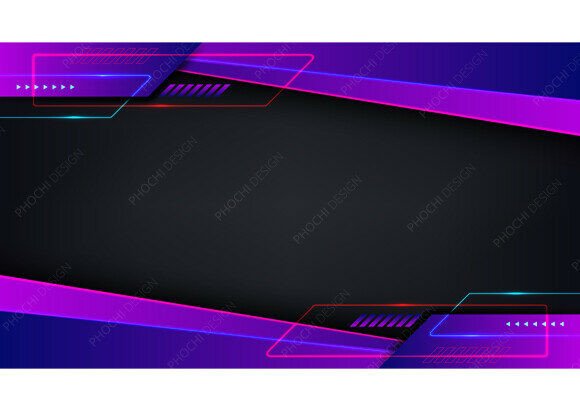
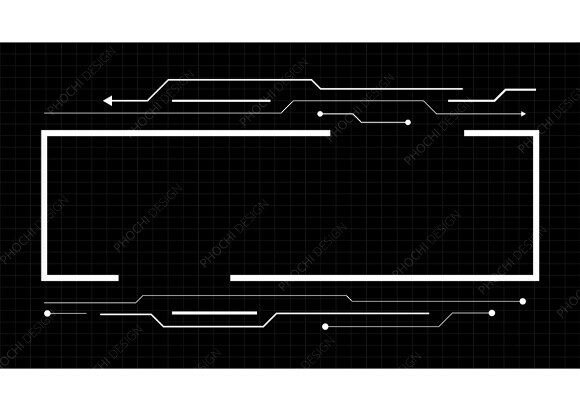
For broadcasters looking to give their streams a professional edge, Twitch Stream Backdrops for Broadcasters offer an affordable and effective solution. These motion assets bring a sleek, cyberpunk-inspired look to your stream, featuring deep blues, glowing cyans, and digital grid patterns that create a high-tech vibe. Whether you're a gamer, tech enthusiast, or creative streamer, these backdrops can transform your content into something visually striking without the need for expensive custom motion packages.
With a focus on practicality and style, these backdrops are designed to fit seamlessly into your streaming workflow. They’re perfect for use during intermissions, when you’re away from your desk, or as a backdrop for your chat and webcam areas. The right visual elements can make a big difference in how your audience perceives your channel, and these assets help you maintain a consistent, premium look across all your content.
What’s Included in the Package?
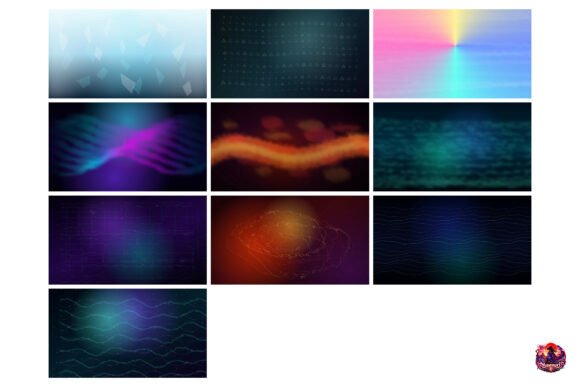
The package includes 10 high-resolution video clips in MP4 format, each delivered at Ultra HD resolution (3840 x 2160 px). This ensures that your backdrops look sharp and detailed, even on large screens. The instant ZIP download makes it easy to get started right away, so you can apply the assets to your stream without delays.
These motion graphics are ideal for a variety of uses. You can use them as full-screen backdrops for your Starting Soon or Be Right Back screens, or you can mask them down to create custom webcam borders and chat box overlays. The versatility of the files means you can tailor the visuals to match your unique style and branding.
Why Choose High-Tech Aesthetics for Your Stream?
Modern audiences are drawn to visually engaging content, and a well-designed stream can make a lasting impression. High-tech aesthetics like glowing waves and grid patterns add a sense of energy and innovation to your broadcasts. These elements not only enhance the visual appeal of your stream but also help reinforce your brand identity, making your channel more memorable and professional.
For streamers who want to stand out, these backdrops provide an easy way to achieve a cohesive look without spending a fortune. Unlike custom motion graphics, which can be time-consuming and costly to produce, these ready-to-use assets offer a quick and budget-friendly alternative. They’re especially useful for those who may not have the design skills or resources to create their own motion packages from scratch.
Compatibility and Integration
The Twitch Stream Backdrops for Broadcasters are compatible with a wide range of streaming and editing software. Whether you use OBS Studio, Streamlabs, Adobe Premiere Pro, or Canva, you’ll find that these assets integrate smoothly into your existing setup. This flexibility allows you to use the backdrops in different ways depending on your needs and preferences.
For example, you can use the videos as background layers in your streaming software to create dynamic transitions between segments. You can also export them as still images or use them as overlays in your YouTube gaming intros and outros. The ability to adapt the assets to different platforms and formats makes them a valuable addition to any streamer’s toolkit.
Practical Applications for Streamers
One of the most common uses for these backdrops is as a background for your Starting Soon or Be Right Back screens. These moments can be awkward or unengaging if not handled properly, but with the right visuals, they become an opportunity to maintain viewer interest. A glowing wave or digital grid can keep your audience entertained while you prepare for the next segment of your stream.
They’re also great for intermission and Just Chatting backdrops. When you’re not actively playing a game or discussing a topic, having a visually appealing background keeps your stream looking polished and professional. This is especially important for longer streams where maintaining viewer engagement is key.
In addition to full-screen backdrops, these assets can be used as webcam and chat box overlay backgrounds. By masking the video clips to fit around your webcam or chat area, you can create a custom look that enhances the overall aesthetic of your stream. This level of customization allows you to maintain a consistent visual theme throughout your broadcast.
How to Get Started
If you’re ready to take your stream to the next level, downloading the Twitch Stream Backdrops for Broadcasters is a simple and effective first step. The instant ZIP download ensures that you can start using the assets right away, without waiting for files to be processed or shipped. Once downloaded, you can easily import the MP4 files into your preferred streaming or editing software.
For those new to using motion graphics in their streams, there are plenty of tutorials and guides available online that can help you get started. Many streamers share tips on how to incorporate these backdrops into their workflows, making it easier to experiment and find what works best for your channel.
Final Thoughts on Stream Design
Investing in quality visuals doesn’t have to be expensive or complicated. With the right tools, you can create a professional-looking stream that reflects your personal brand and style. The Twitch Stream Backdrops for Broadcasters offer an accessible and effective way to elevate your stream’s appearance, giving you the tools to create a more engaging and visually appealing experience for your audience.